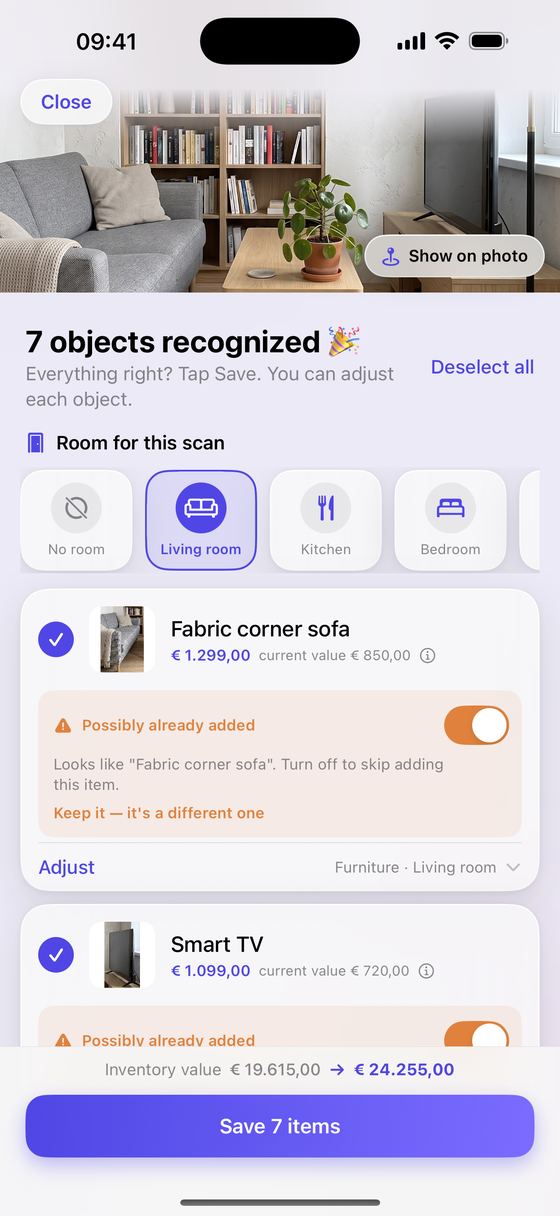
Step 1
Take a photo
Tap Scan with AI and point your camera at a room. Sofa, TV, lamp: everything in view is recognised and gets a price and a place in the app.
Take a photo of a room. Keep2Protect recognises your belongings, estimates what they're worth and keeps the proof. After a fire, burglary or water damage, you have everything ready for your insurer.
Free to try · iPhone with iOS 17 or later · English and Dutch
No typing up lists. You take a photo, check it and save. The app does the sorting and the maths.
Tap Scan with AI and point your camera at a room. Sofa, TV, lamp: everything in view is recognised and gets a price and a place in the app.
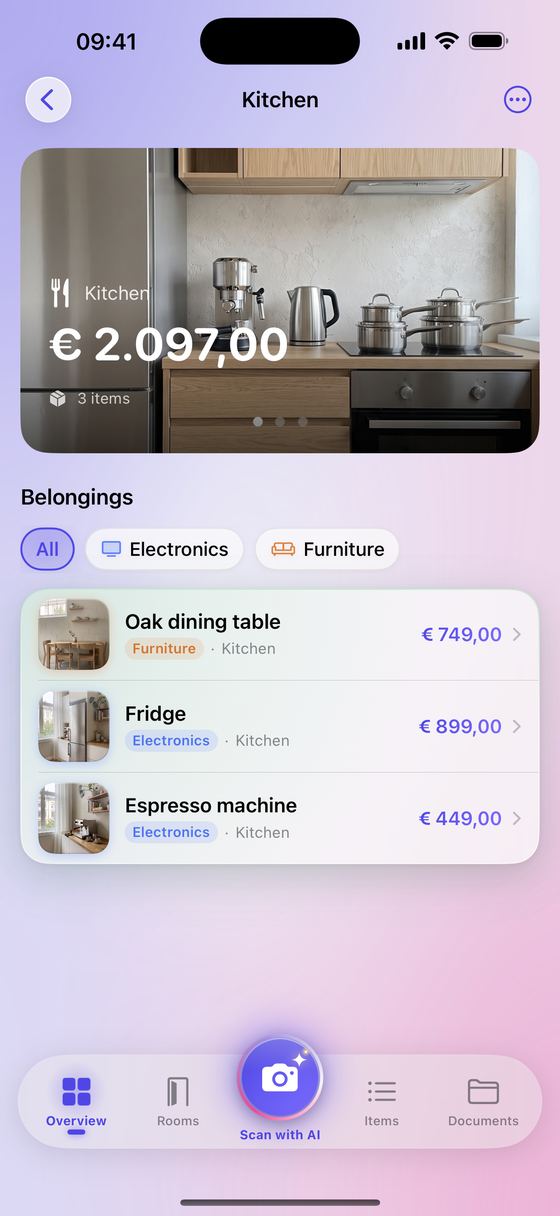
Looks right? Tap Save. Every item lands in the right room and category, with its photo.
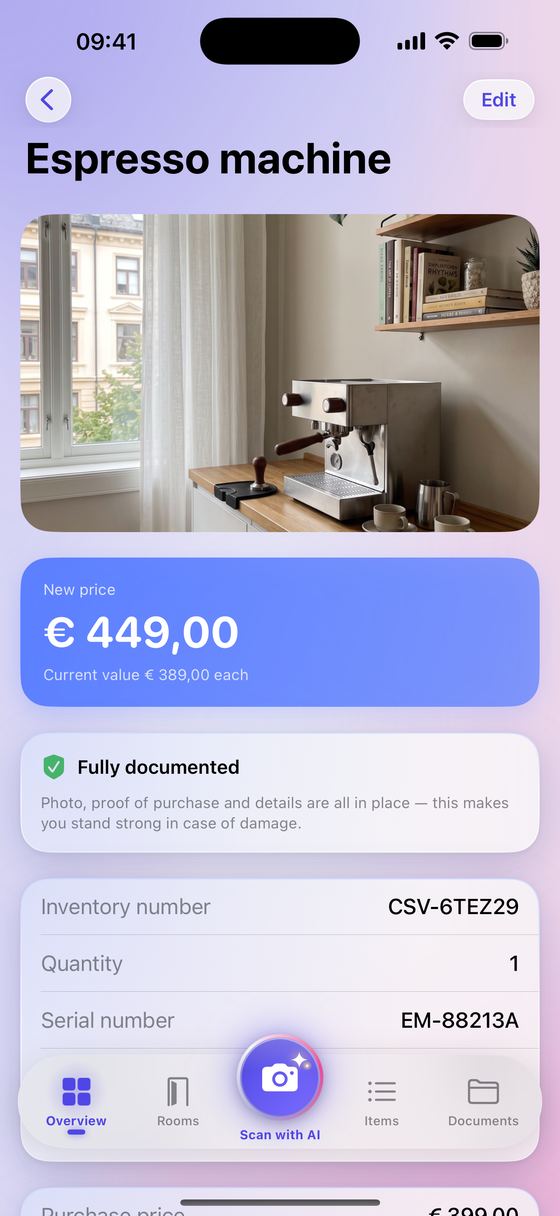
One tap gives you a PDF with photos, values and receipts per room, ready to send to your insurer.
Every item gets its own inventory number, photos, a replacement value and a current value. Add the receipt and the item is fully documented.
See at a glance where your value is. Photograph your kitchen from a few angles and those photos become the room's card.
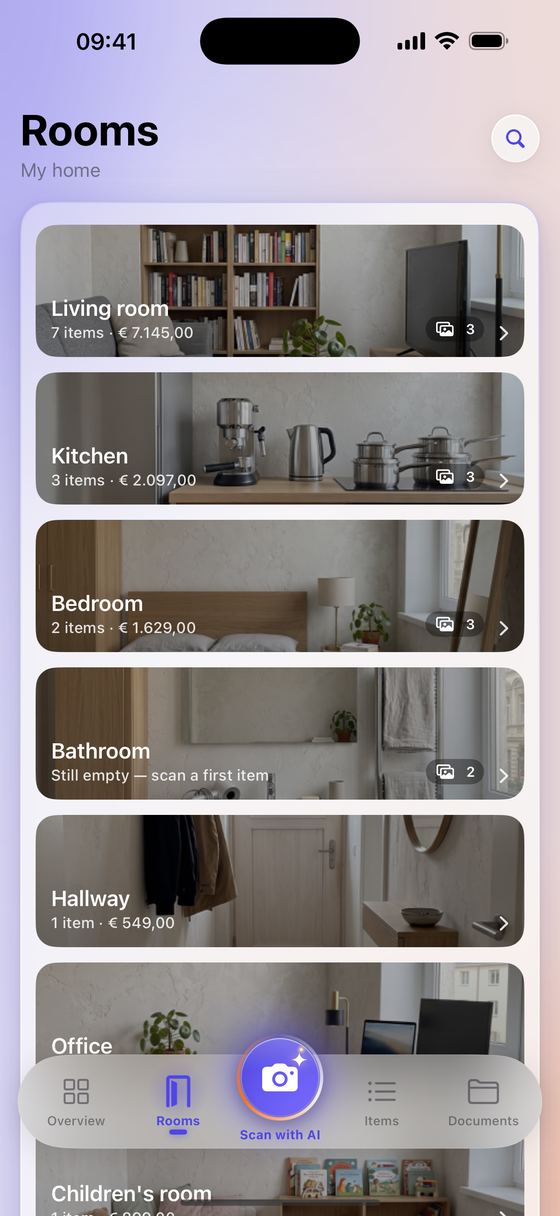
Every room with its photo, number of items and total value.
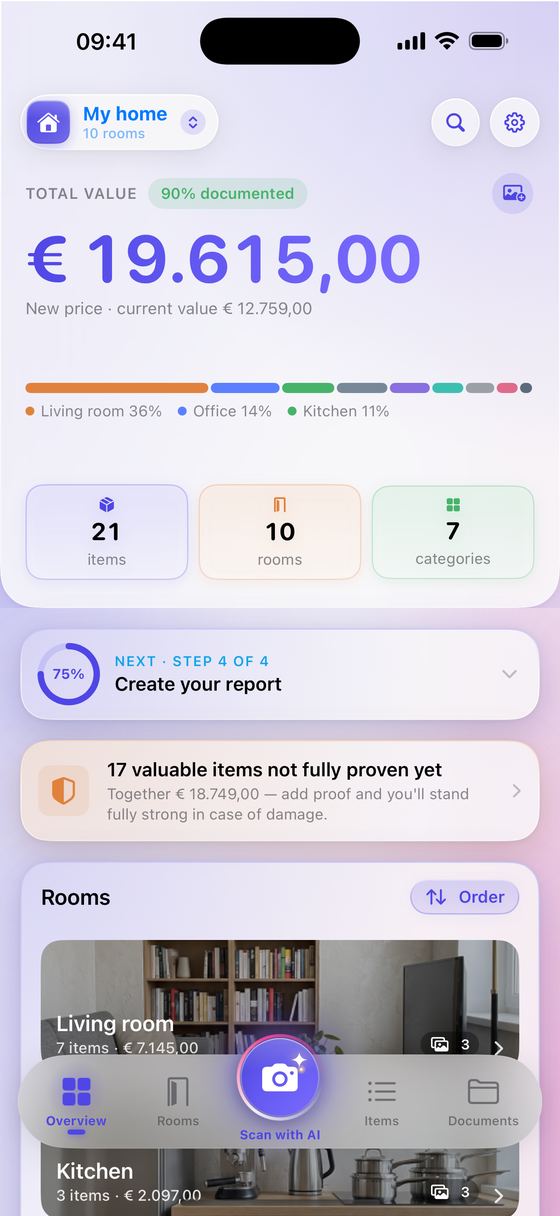
The total value of your home and how it is spread.
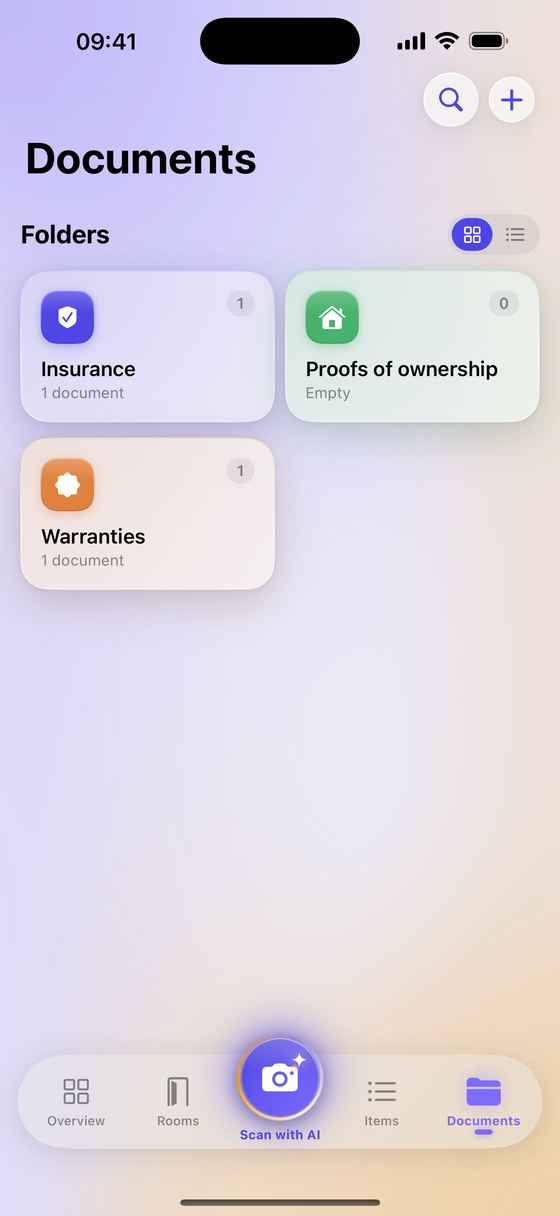
Your policy, warranties and proofs of ownership in folders.
Tenant or owner: you record what you have at home, room by room and at your own pace. If something happens, you have the overview and the proof at hand.
Agencies and brokers can offer Keep2Protect to their clients. After a loss you receive a report with photos, values and proof. A review link lets you check that the PDF is unchanged and add your comments.
Work at an office and want to take a look? Email [email protected].
A list of everything you own is sensitive. That's why we don't keep it. No ad trackers, and we never sell your data.
Your inventory lives on your iPhone and syncs through your own iCloud. We don't have a copy.
A photo only goes to recognition when you choose so. For a timestamp, only a fingerprint of the photo reaches our server, never the photo itself.
Turn on the app lock and nobody opens your inventory without your face or fingerprint.
Try Pro free for 7 days. On day 5 you get a reminder, so the first payment is never a surprise.
Or €4.99 per month. Cancel anytime in the App Store.
Yes. The report is a standard PDF with photos, values and proof. You send it to your insurer or broker yourself, whichever one you use.
Replacement value is what the same item costs today. Current value takes age and condition into account. Many policies pay out on replacement value; the app shows both.
Yes. With Pro you manage several homes, each with its own inventory. For rentals you create a check-in report with the condition of every item.
Your inventory is also in your own iCloud. Sign in on a new iPhone with the same Apple ID and everything comes back.